Dec 29, 2025
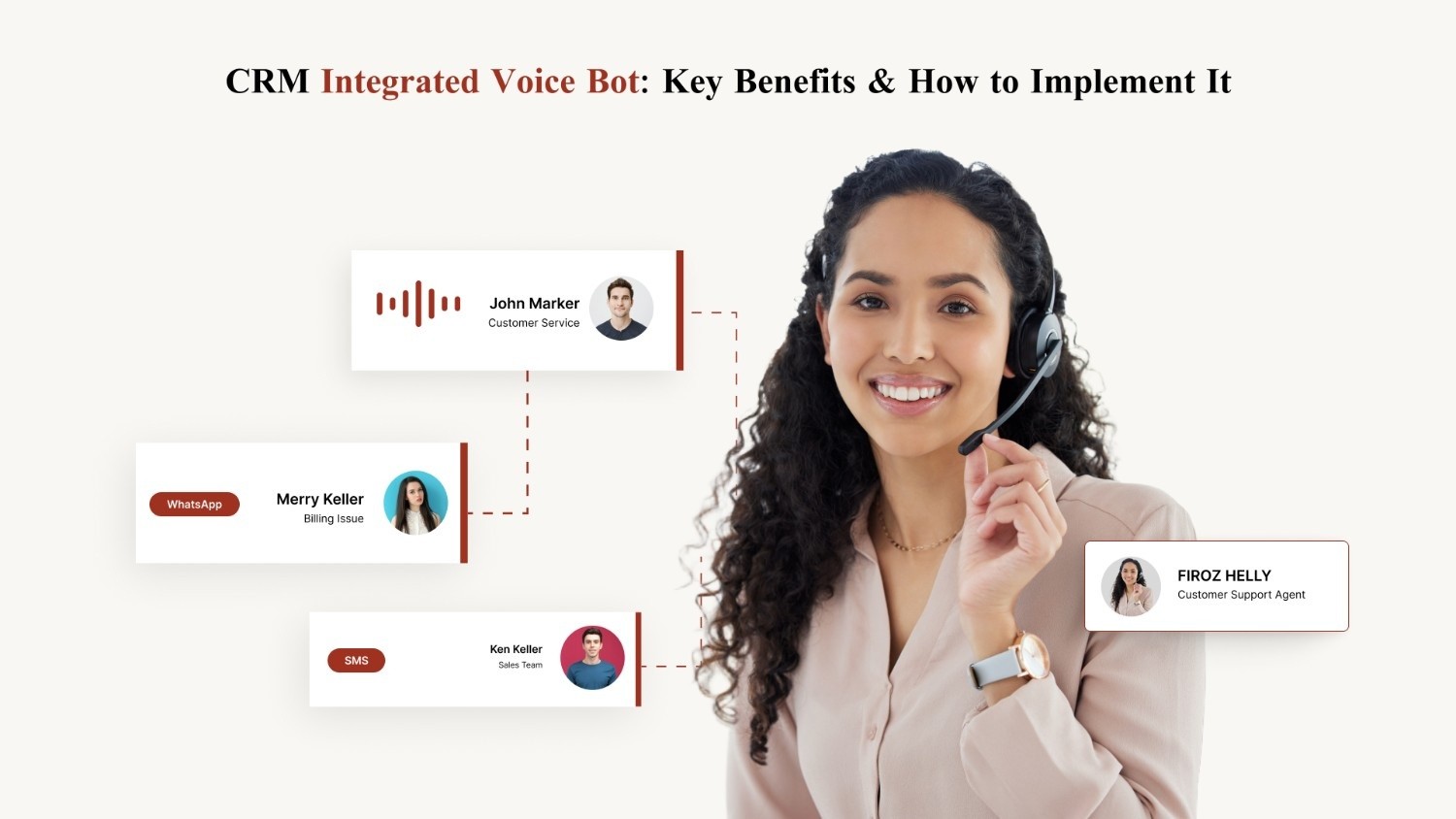
CRM Integrated Voice Bot: Key Benefits & How to Implement It
Customer conversations break down when teams work across disconnected systems. Sales repeats questions, support agents miss context, and operations rely on manual updates that never reach the CRM.
Salesforce reports that 26% of service reps often lack context about a customer’s situation, and 80% say better access to cross-department data would improve their work.
A standalone voice bot cannot solve this gap. It can answer questions, but it cannot personalize, act, or retain customer history.
A CRM-integrated voice bot changes this completely. By connecting real-time conversations with centralized customer data, it turns every call into a contextual, automated workflow.
The result is faster resolutions, accurate updates, and consistent experiences across sales, support, and operations.
In this blog, we break down what a CRM-integrated voice bot is, how it works behind the scenes, why it matters, and more.
At a glance:
CRM-integrated voice bots turn every customer call into real-time CRM intelligence by identifying callers, personalizing responses, executing actions, and updating records automatically.
They eliminate context gaps by pulling past interactions and transaction history instantly, enabling faster resolutions, higher conversions, and more consistent customer experiences.
Clean, accurate CRM data becomes a natural output of every conversation, improving forecasting, reporting, lead scoring, and overall decision-making.
Scalable automation across EMI reminders, order updates, renewals, lead qualification, and ticket workflows reduces manual workload and agent ramp time.
CubeRoot enhances CRM workflows with human-like multilingual voice agents, real-time read and write capabilities, 150+ integrations, and rapid 14-day deployment.
What Is a CRM-Integrated Voice Bot?
An AI voice bot can converse with customers using natural, human-like speech. It can answer questions, guide users through simple workflows, and automate high-volume calling tasks.
But on its own, it has a major limitation: it operates without context. It cannot access customer history, update records, or trigger downstream actions.
A CRM-integrated voice bot solves this issue. Instead of functioning as a standalone calling tool, it becomes a real-time intelligence layer that reads from and writes to your CRM during every interaction.
This means the bot enriches customer profiles automatically and keeps your CRM clean, updated, and actionable.
With CRM integration, the voice bot can:
Identify the customer from their phone number
Validate identity using stored fields
Personalize responses based on past interactions
Update lead status or contact fields instantly
Retrieve order, payment, or support history
Create, close, or update tickets in real time
In other words, the bot does not just talk. It understands, acts, and ensures continuity across the entire customer lifecycle — while strengthening your CRM with accurate, real-time data.
A standalone voice bot improves conversations.
A CRM-integrated voice bot improves your conversations, your CRM, and your entire customer operation.
8 Ways a CRM-Integrated Voice Bot Makes Your CRM Truly Effective
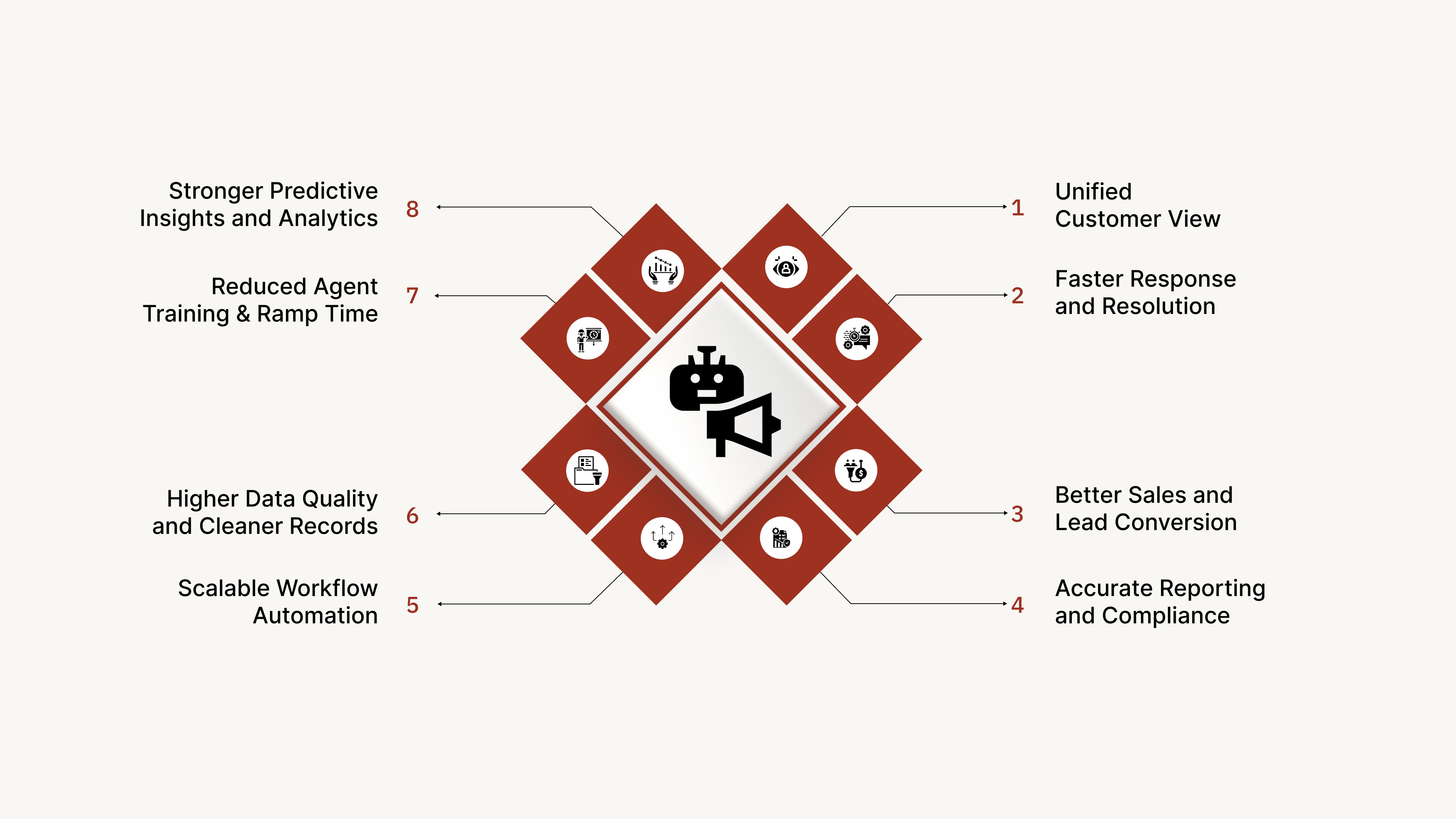
Most voice bots can talk to customers, but they don’t improve the systems your teams depend on. A CRM-integrated voice bot identifies customers, retrieves history, updates records, and logs outcomes automatically, keeping your CRM clean and actionable without manual effort.
Here’s how it strengthens your CRM and improves sales, support, and operations:
1. Unified Customer View
The bot identifies who is calling and immediately pulls relevant CRM fields such as past interactions, tickets, purchases, or complaints. This ensures continuity and gives teams a single, complete view of the customer.
2. Faster Response and Resolution
Because the bot can retrieve CRM data instantly, customers receive precise answers without waiting for an agent to check multiple systems. This reduces handling time and improves experience, especially during high-volume periods.
3. Better Sales and Lead Conversion
A CRM-integrated bot can qualify leads, update lead stages, score interest, and trigger automated follow-ups. It can route high-intent leads to sales instantly while nurturing warm leads with COD confirmations, demo reminders, or renewal prompts.
4. Accurate Reporting and Compliance
The bot logs call outcomes, notes, and transcripts directly into the CRM. This eliminates human error, preserves audit integrity, and ensures consistent compliance across BFSI, insurance, and healthcare workflows.
5. Scalable Workflow Automation
Tasks such as EMI reminders, return updates, policy renewals, payment follow-ups, and feedback collection can be fully automated. The CRM becomes the command center for workflows that the voice bot executes reliably at scale.
6. Higher Data Quality and Cleaner Records
Every call enriches the CRM with structured data. The bot updates fields, corrects statuses, and removes inconsistencies, which improves forecasting, reporting, and overall customer intelligence.
7. Reduced Agent Training and Ramp Time
Since the bot manages repetitive, process-heavy interactions, agents no longer need deep system training or memory of customer history. The CRM remains accurate, so agents always start with full context.
8. Stronger Predictive Insights and Analytics
Clean, consistent CRM data powers better analytics. Improved lead scoring, churn prediction, forecasting, and customer segmentation all become easier when the voice bot keeps the CRM continuously updated.
Also read: How Conversational Customer Service Enhances Business Success
How a CRM-Integrated Voice Bot Works
A CRM-integrated voice bot follows a structured workflow that lets it identify the customer, understand the request, take action instantly, and update your CRM without manual effort.
Here’s what happens behind the scenes during every interaction.
1. Identify and Authenticate
The bot detects the caller’s number, matches it to the correct CRM profile, and verifies identity when required through OTP or security questions. Every call begins with the right customer record.
2. Understand the Intent
Using NLU and NLP, the bot interprets why the customer is calling — checking a balance, asking for a refund, tracking an order, rescheduling an appointment, etc. It also extracts key entities such as order IDs, dates, policy numbers, payment amounts, or ticket references.
3. Retrieve the Right CRM Data
Based on the intent, the bot pulls real-time customer information from the CRM:
Previous tickets
Recent transactions
Orders and deliveries
Payment status
Communication history
Account preferences
This allows the bot to respond accurately and move the workflow forward.
4. Execute the Required Action
With full context, the bot performs the next step automatically. It can:
Update lead or account fields
Raise, modify, or close support tickets
Log call summaries and outcomes
Trigger workflows like reminders, renewals, escalations, or follow-up tasks
All actions happen instantly and without agent involvement.
5. Update the CRM Automatically
After the call, the bot writes everything back into the CRM: notes, transcripts, intent, sentiment, action taken, and recommended next steps.
Your CRM stays clean, consistent, and audit-ready.
How to Implement a CRM-Integrated Voice Bot: A Step-by-Step Guide
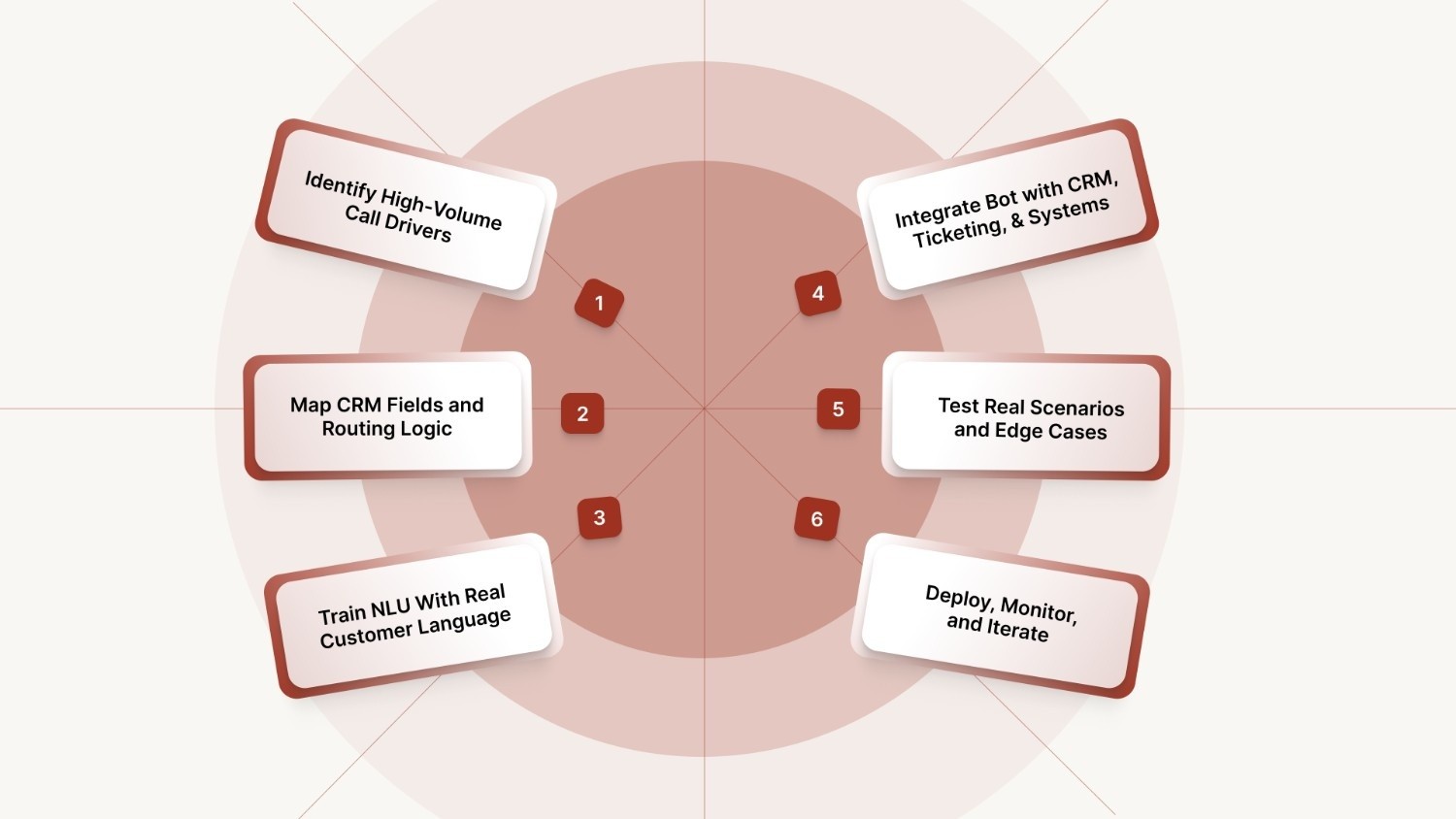
Rolling out a CRM-integrated voice bot is not a plug-and-play exercise. It requires mapping real call drivers, aligning backend systems, and training the model to understand how your customers actually speak.
Below is a step-by-step framework to help you deploy voice automation smoothly and at scale.
1. Identify High-Volume Call Drivers
Start with the queries that consume the most agent time: EMI dates, order tracking, refund status, password resets, appointment scheduling, or ticket updates. These become the first workflows the voice bot automates.
2. Map CRM Fields and Routing Logic
Define exactly which CRM fields the bot should read and write:
Lead stage
Ticket status
Payment information
Order IDs
Interaction history
Also, map escalation rules: when to resolve, when to trigger a workflow, and when to hand off to a human agent.
3. Train NLU With Real Customer Language
Feed the bot real-world phrases from call recordings, WhatsApp chats, emails, or support transcripts. This ensures the bot understands accents, slang, variations, and domain-specific terminology used by your customers.
4. Integrate the Bot With CRM, Ticketing, and Backend Systems
Connect the bot to Salesforce, Zoho, HubSpot, Leadsquared, Freshdesk, Zendesk, or your internal OMS/ERP. This allows it to retrieve customer history, execute actions, and log outcomes automatically.
5. Test Real Scenarios and Edge Cases
Run simulations using actual customer queries, including:
Multi-intent requests (“I want to update my address and check my EMI”)
Unexpected phrasing
Emotional or frustrated tone
Missing customer data
Testing ensures the bot handles both common flows and outliers reliably.
6. Deploy, Monitor, and Iterate
Go live with one or two workflows, track:
Resolution rate
AHT reduction
CRM update accuracy
Escalation quality
Customer sentiment
Iterate based on real interactions and expand workflows gradually across sales, support, and operations.
Also read: Understanding AI Virtual Assistants: Benefits, Use Cases, and How They Help Enterprises Scale
Challenges in Implementing a CRM-Integrated Voice Bot
Enterprises often face operational and technical hurdles when deploying a voice bot that reads and writes CRM data. The most common challenges include:
Fragmented or Incomplete CRM Data: Research shows that 91% of CRM data is incomplete, 18% is duplicated, and 70% becomes outdated each year. This makes it difficult for a voice bot to identify customers, execute workflows correctly, or maintain continuity across conversations.
Variability in Customer Language: Accents, slang, mixed-language queries, and domain-specific terms reduce NLU accuracy if not trained on real customer utterances.
Legacy System Complexity: Older CRMs, custom ERPs, or partially integrated platforms require custom API work, field mapping, and workflow restructuring.
Compliance and Security Requirements: BFSI and healthcare require strict authentication, encrypted data flows, and full audit trails, which add technical overhead.
Balancing Automation With Human Escalation: Automating too much frustrates customers; escalating too early increases workload. Routing rules must be calibrated carefully.
Change Management and Agent Adoption: Support and sales teams must adapt to workflows where the bot updates CRM fields automatically. Manual overrides can harm data quality.
Continuous Improvement Needs: A voice bot requires ongoing training. This includes adding new intents, updating scripts, and tuning NLU as products, services, or policies evolve.
Addressing these issues early makes the entire deployment smoother and more predictable. The following best practices ensure your system performs reliably from the start.
Best Practices for CRM-Integrated Voice Bot Success
To ensure the voice bot strengthens your CRM and customer operations over time, you should follow these best practices:
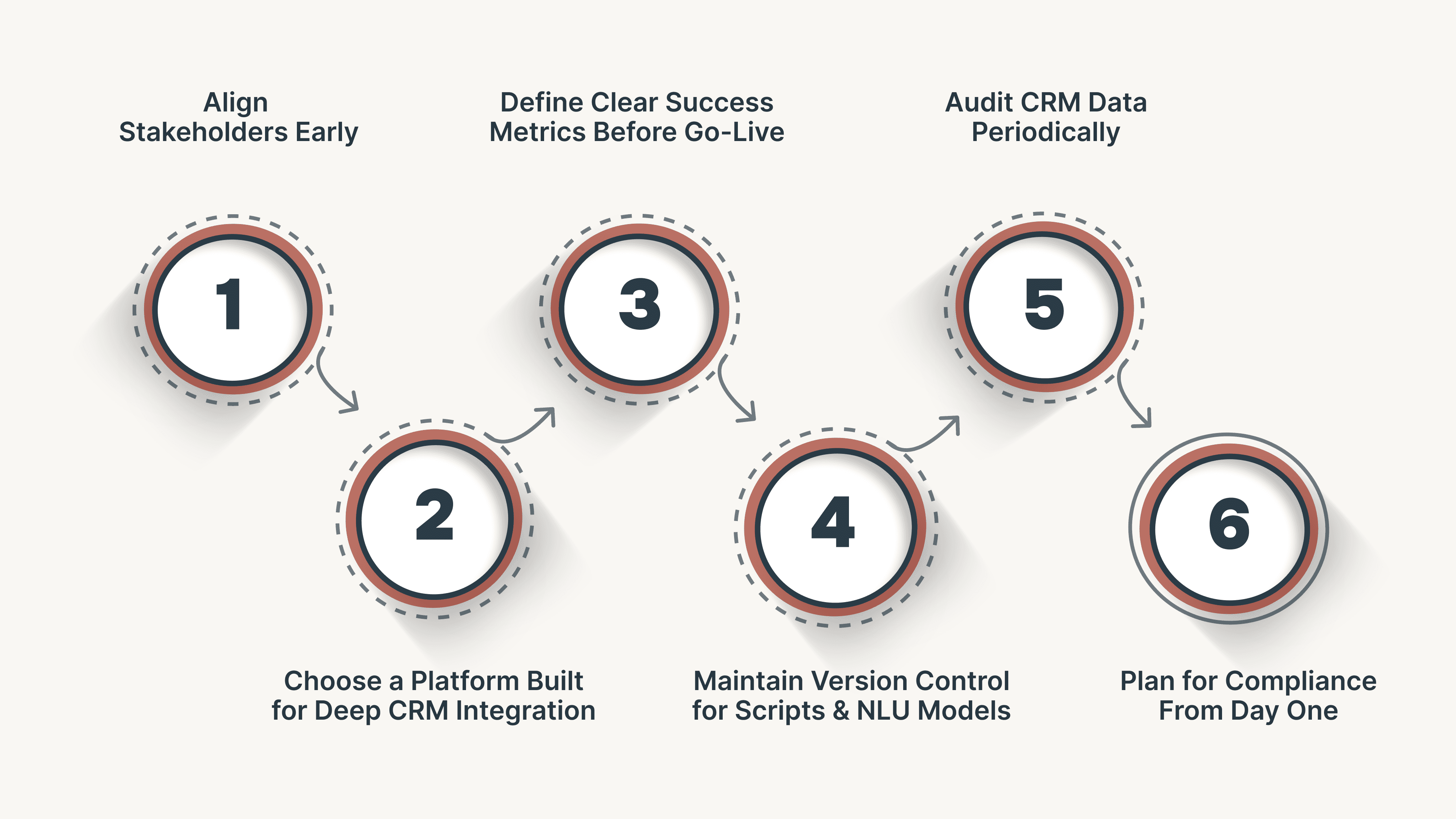
Align Stakeholders Early: Bring IT, operations, support, and compliance teams together during planning to ensure the bot mirrors real workflows and updates the right CRM fields.
Choose a Platform Built for Deep CRM Integration: Prioritize voice AI solutions with flexible APIs, prebuilt CRM connectors, strong authentication controls, and proven deployment at scale.
Define Clear Success Metrics Before Go-Live: Establish what success looks like: CSAT improvement, reduction in AHT, CRM update accuracy, call deflection rate, or conversion lift. This prevents teams from evaluating performance subjectively.
Maintain Version Control for Scripts and NLU Models: As workflows evolve, keep structured versioning for intents, entities, scripts, and routing rules. This ensures traceability and easier rollbacks.
Audit CRM Data Periodically: Perform routine checks on CRM fields to maintain data quality, especially when multiple teams still update records manually.
Plan for Compliance From Day One: Incorporate verification steps, consent handling, call logging, and audit trails early to avoid rework and delays in regulated sectors like BFSI and healthcare.
Best practices guide the approach, but technology determines the outcome. CubeRoot brings these principles to life with an architecture built for CRM intelligence.
How CubeRoot Enhances CRM Workflows
CubeRoot is an enterprise-grade Voice AI platform designed to turn your CRM into a real-time intelligence system. Instead of simply answering calls, CubeRoot’s voice agents read from and write to your CRM automatically, improving data quality, accelerating workflows, and delivering human-like conversations at scale.
Built for high-volume industries such as BFSI, eCommerce, SaaS, D2C, real estate, and consumer durables, CubeRoot brings accuracy, speed, and automation to every customer interaction.
Here’s how:
Human-Like, Multilingual Conversations: Natural, sentiment-aware voice interactions across English and major Indian languages.
Automated Workflows Across the Customer Lifecycle: Supports lead qualification, EMI reminders, ticket resolution, return updates, renewals, and feedback collection without human effort.
150+ Out-of-the-Box Integrations: Connects instantly with major CRMs, ticketing systems, dialers, and backend platforms for rapid deployment.
Industry-Trained Voice Agents: Prebuilt templates for BFSI, NBFC, retail, real estate, and consumer durables reduce customization effort and speed up deployment.
In-Call Intelligence: Real-time transcription, sentiment detection, and compliance monitoring improve accuracy and reduce escalations.
Built to Scale in 14 Days: A simple four-step process, including Build, Train, Integrate, and Scale, helps enterprises go live quickly with dedicated success support.
Enterprise-Grade Security: ISO 27001 and SOC 2 readiness, encrypted call logs, role-based access controls, and India-based data hosting ensure full protection.
CubeRoot turns everyday customer conversations into actionable CRM insights. The result is clearer forecasting, faster automation, and consistently better experiences across every touchpoint.
See how Voice AI can elevate your CRM. Request a demo.
FAQs
1. What is a CRM-integrated voice bot?
It is an AI-powered voice system that connects directly with your CRM to read and update customer data in real time. This allows it to personalize conversations, automate workflows, and log outcomes without manual effort.
2. Can a voice bot update CRM records automatically?
Yes. A CRM-integrated voice bot can update fields, create or close tickets, attach transcripts, log call summaries, and trigger workflows based on the conversation.
3. Which CRMs can be integrated with AI voice systems?
Most enterprise CRMs support integration through APIs or connectors. CubeRoot integrates with more than 150 CRMs and platforms, including Salesforce, HubSpot, Zoho, Freshdesk, Leadsquared, and custom-built systems.
4. How does CRM integration improve lead conversion?
The bot can qualify leads faster, identify high-intent customers, and route them to the right team immediately. It also automates follow-ups, which increases conversion rates without adding staff.